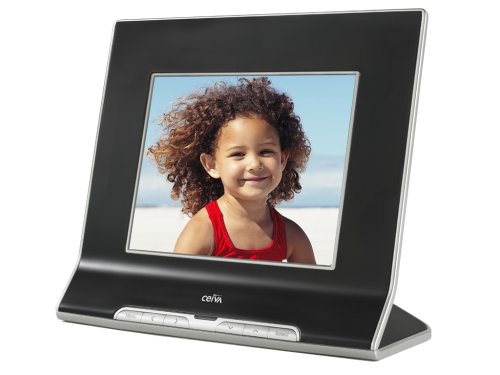
Digital Spectrum 10.4-Inch Multi-function Digital Photo Frame Review

Digital Picture Frames. Bill Dubovsky, S.I. Business Trends, "Bits & Bytes," January, 2008.
Situation: One of the hot gifts for this season was the digital picture frame. It is a great way of showing photos in a slide show format or even short videos in a device the size of a picture frame. You can have it on your desk, in your home or even take it with you when you visit relatives or loved ones.
What is it? The Memory Vue 1040 Plus, 10.4" LCD Screen is an example of the popular electronic frames available this season. These devices range in size from about 6.3 inches to 10 inches and more.
How it works: These devices are about the size of a picture frame and have an LCD (liquid crystal display) that will "play" photos that you've loaded from your digital camera or from your computer. The Memory Vue was able to accept digital content from many types of devices and came with the appropriate USB cable to connect with a camera or computer.
Once your photos, music or videos are in the digital picture frame and you start up the slide show, you can get a series of random fades and timing for each picture, which add to viewing interest. The Memory Vue came with both a brown and a black outer frame for you to mix or match to your room's color scheme.
What you need: Besides the digital picture frame, you'll need a source of digital photos such as a digital camera, thumb (USB) drive or a computer.
[...]
How hard is it to use? Once you get the photos and or sound file into the digital picture frame, a wireless remote control and a simple menu on the screen make it fairly easy to use.
Findings: In programming my MV-1040 Plus, I found the instructions to be overly simplistic. I wanted to take photos edited in iPhoto on my Mac and download them to the frame, add a music track, and be good to go. I found that the order of the photos on the frame was arranged by the file name so I had to go in and change all the file names to be in an alphanumeric order so that they would show in the right sequence. I also noted that transferring jpeg files from the Mac also seemed to fill up the frames 250 MB memory even though the files weren't that large.
I finally transferred the jpeg photo files to my PC, and then transferred them to the frame. With some adjustments, I got the slide show to work properly. It would probably be easier if you download the photos directly from your digital camera (they would be in the order you took them in) and just add an mp3 music file for background music for your slide show.
Pros: Very good resolution, decent stereo sound and easy to use once the photos are in. The wireless remote control was convenient and adequate, though not very responsive.
Cons: It was somewhat difficult to program and edit slides. You could duplicate and delete but not easily change the order of the photos. I was not able to adjust the timing for each photo or the rate of fade, which made some photos linger too long, and others not long enough. I would have preferred the ability to customize those settings.
Bottom-line: A fun and interesting way of sharing a digital slide show set to music without having to set up a computer. The digital picture frame seems to be a great gift at a reasonable price. It's so much more interesting and engaging that the old photo album!
Digital Spectrum 10.4-Inch Multi-function Digital Photo Frame Feature
- With True Enhanced Performance.
- Latest Technical Development.
Digital Spectrum 10.4-Inch Multi-function Digital Photo Frame Overview
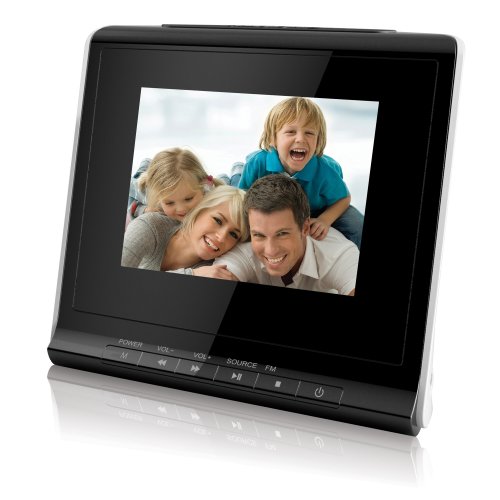
10.4" Multi-Function Digital Picture Frame. High quality 10.4 TFT LCD Display Generous 256MB internal memory Built-in CF/SD/XD/MMC/MS Memory Card Slot Plays JPEG images, MP3 audio, MPEG video, and Audio Slideshow Built-in Stereo Speakers USB port to PC USB port to Devices Changeable Frame Design Desktop Stand Remote Control
Available at Amazon Check Price Now!
*** Product Information and Prices Stored: Sep 29, 2010 20:17:12